Your website is not an Instant Pot. You can’t set it, walk away and come back to a finished meal. A website is more like a pot simmering on the stove: it needs someone to keep an eye on it and stir it now and then. So how often should you update your website? More often than most owners think, but in much smaller pieces than they fear.
Below is the simple schedule we use for our own clients, the three reasons a neglected site catches up with you, and the warning signs that yours needs attention now.
Quick answer: How often should you update your website? Check for WordPress, theme and plugin updates at least once a month, and apply security fixes as soon as they come out. Review your content (prices, services, hours, photos and staff) every three months, and any time something about your business changes. Do a bigger review once a year, and plan on a redesign about every three to five years.
Last reviewed: November 2026
Why you can’t set your website and forget it
A lot of businesses, churches and nonprofits launch a site and never touch it again. Here are three reasons that catches up with you.
1. Security doesn’t stand still
New vulnerabilities turn up constantly in WordPress, themes and plugins, and the fixes come out as updates. A site that never gets updated keeps every one of those holes open. Most attacks are automated, so they don’t care how big you are. Bots scan the web for outdated software and break into whatever they find. We’ve seen it happen to small business sites, ministry websites and personal blogs alike.
If you only keep your site updated for one reason, make it security. Here are four ways to secure your website.

2. Your business changes
You add a service, drop another, change your hours, hire people, move or refine how you describe what you do. Every one of those changes should show up on your website. When it doesn’t, customers notice. Old prices, a service you no longer offer or a staff page full of people who left two years ago all chip away at trust, and some customers will simply call someone else.
3. What visitors expect keeps changing
You don’t need to chase every design trend, but over time trends become expectations. A tap-to-call button on phones, a menu that works with one thumb and a site that loads in a couple of seconds all started as trends. Now people expect them, and a site without them feels outdated. A site that looked great five years ago can feel old today, even if nothing is technically broken.
How often should you update your website? A simple schedule
You don’t need to block out a day every month. Spread the work out like this and most of it takes minutes, not hours.
| How often | What to do |
|---|---|
| Every week | Make sure contact form messages are still reaching you, and glance at your homepage on your phone. |
| Every month | Back up your site, then install WordPress, theme and plugin updates. Check that your main pages still look right afterward. |
| Every three months | Walk through every page. Fix old prices, services, hours, photos and staff. Test every form and button, and look for broken links. |
| Twice a year | Make sure your Google Business Profile, Facebook page and directory listings match your website exactly. |
| Every year | Run a bigger review: renew your domain, update the copyright year and policies, and look at which pages bring in calls. Our year-end website checklist walks you through it. |
| Every 3 to 5 years | Ask whether it’s time for a website redesign. If the site is hard to update, slow or doesn’t work well on phones, it probably is. |
Security updates are the exception to the schedule. When a plugin or WordPress itself releases a security fix, install it as soon as you can rather than waiting for your monthly check.
Signs your website needs an update now
Don’t wait for the calendar if you notice any of these:
- It’s hard to use on a phone. Text is tiny, buttons are cramped or you have to zoom in to read it.
- It’s slow. If your homepage takes more than a few seconds to show up, visitors leave. Here’s why websites get slow and what to fix first.
- Something is out of date. Old prices, an old address, last year’s holiday hours or a service you no longer offer.
- You see security warnings. A “Not secure” label in the browser, warnings from your host or strange pages you didn’t create.
- The phone stopped ringing from it. If your website used to bring in calls and doesn’t anymore, something changed.
- You can’t update it yourself. If changing a phone number means calling someone and waiting a week, your site is working against you.
Not sure where your site stands? Our free website audit checklist walks you through ten checks in about an hour.
Habits that keep your website current
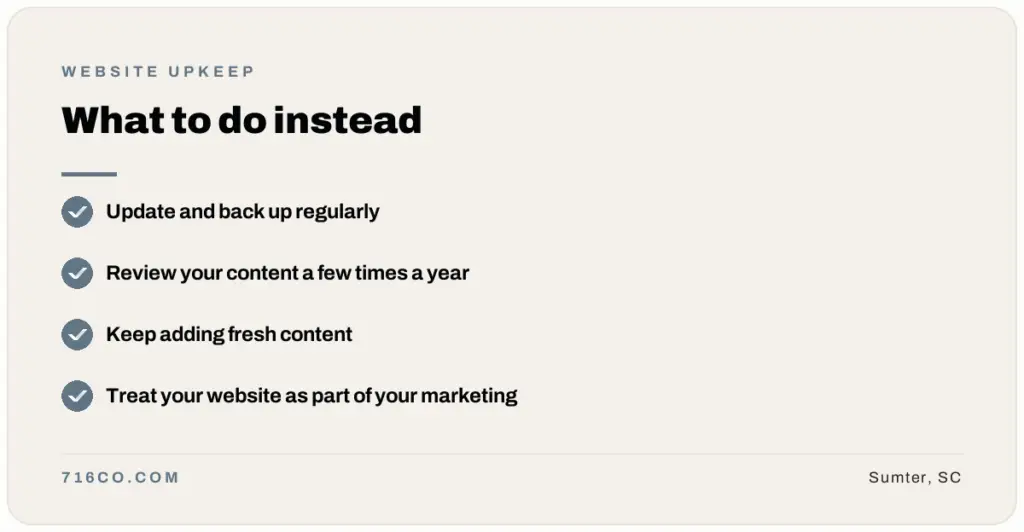
Back up before every update
An update can occasionally conflict with another plugin and break a page, or the whole site. A fresh backup turns that from a disaster into a five-minute fix.
Keep adding fresh content
A blog or news section is one of the easiest ways to keep your site current. It gives Google something new to find, answers the questions customers already ask you and keeps you in the habit of checking your own site.
Treat your website as part of your marketing
Your website should be at the center of your marketing, not left behind while your attention goes to social media. Look at how people find your site and what they do once they get there, and adjust as your business changes. Free tools like Google Search Console make that easier than it sounds.
Or let someone else handle it
If you don’t have the time (most business owners don’t), our website care plans take care of it for you. The Basic plan covers WordPress and plugin updates, monthly backups and a monthly status report for $40 a month. The Pro plan adds daily backups, uptime, security certificate and vulnerability monitoring, performance work and a little time each month for content changes for $95 a month.
Frequently asked questions
How often should my website be updated?
Software updates should be checked at least monthly, and security updates applied as soon as they’re available. Content should be reviewed at least every three months and any time something about your business changes.
What happens if I never update my website?
Over time it becomes slower, less secure and more likely to break when something on the server changes. Outdated sites are also the most common targets for automated hacking.
Can I update my website myself?
Yes. Most WordPress updates are a click or two. Just back up first, update one thing at a time and check the site afterward. If that sounds like a chore, that’s what care plans are for.
How often should a small business redesign its website?
Most small business websites need a redesign every three to five years, sooner if the site is hard to update, slow or doesn’t work well on phones. Regular updates in between keep a site useful much longer.
How long does a monthly website update take?
For most small business WordPress sites, about 15 to 30 minutes: make a backup, install the updates and check your main pages afterward.
Want your site taken care of? See our website care plans, or request a free audit and we’ll show you what needs attention.