
“Why is my website so slow?” We hear it a lot, usually right after a business owner tries to pull up their own site on their phone in a parking lot. A slow website costs you calls, because people don’t wait. They hit the back button and call whoever loads first.
The good news is that most slow small business websites come down to a handful of fixable problems. Here’s how to test your speed, what usually causes it and what to fix first. It’s one of the first things we check in a free website audit.
What a slow website really costs you
Speed problems are easy to ignore, because you rarely see them. Nobody calls to say your site took too long. They just leave. On a fast office computer, your site might feel fine. On a phone with two bars of signal in a parking lot, which is where many local customers find you, it can feel broken.
A slow site also makes everything else work harder. Your Google Business Profile, your Facebook posts and your ads all send people to your website. If the site is slow, you lose some of those people at the very last step.

How to test your website speed
- Use your phone. Turn off Wi-Fi and load your website on cellular data, the way most customers will. Notice how long it takes before you can read and tap things.
- Run PageSpeed Insights. Go to pagespeed.web.dev, Google’s free speed test, and enter your homepage. Look at the mobile results first.
- Test more than the homepage. Run your main service page too. Sometimes one heavy page is the real problem.
PageSpeed Insights gives you a score and a list of suggestions. Don’t worry about getting a perfect score. Focus on the biggest items it lists, and on how fast the page feels on a real phone.
Why is my website slow? The 7 most common causes
1. Oversized images
This is the number one cause we see. A photo straight from a phone or camera can be many times larger than it needs to be. One of those on your homepage can slow everything down. Our guide on image optimization shows how to resize and compress them.
2. Too many plugins
Every plugin adds code. Over the years, sites collect plugins that nobody uses anymore. Each one can slow things down and adds a security risk if it isn’t updated.
3. Cheap or overloaded hosting
If your website shares a crowded server with thousands of other sites, it can be slow no matter what you do. Good hosting is one of the simplest speed upgrades there is. See our hosting options.
4. No caching
Caching saves a ready-made copy of your pages so they don’t have to be built from scratch for every visitor. Without it, even a simple site can feel sluggish.
5. Heavy sliders, videos and animations
A big rotating slider or a video that plays automatically at the top of your homepage looks nice on a fast office computer. On a phone, it can be the reason people leave before they see anything.
6. Outdated software
Old versions of WordPress, plugins or the server software behind your site are often slower than current ones. Keeping everything updated helps speed and security.
7. Extra scripts from other services
Chat widgets, tracking codes, embedded social feeds and pop-up tools all load from other companies’ servers. A few are fine, but they add up quickly.
What to fix first
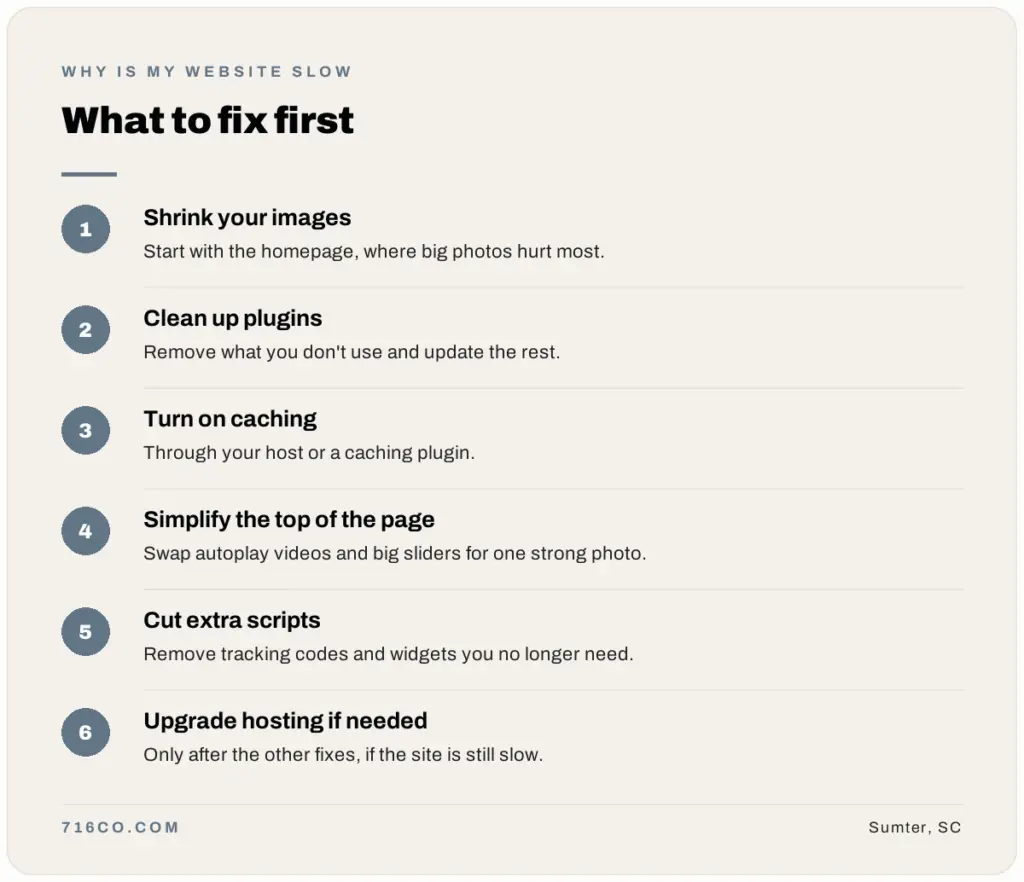
If your site is slow, work through it in this order. The first few steps fix most sites:
- Shrink your images, starting with the homepage.
- Remove plugins you don’t use, and update the rest.
- Turn on caching, either through your host or a caching plugin.
- Replace autoplay videos and big sliders with a single strong photo and a clear headline.
- Cut extra scripts you no longer need.
- Upgrade your hosting if the site is still slow after all of that.
Questions to ask your web person
If someone else manages your website, these questions will tell you a lot:
- Are images resized and compressed when they’re uploaded?
- Is caching turned on?
- When were WordPress and the plugins last updated?
- Which plugins could we remove?
- Is our hosting plan the right size for our site?
Good answers to all five usually mean the site is in decent shape. Shrugs mean it’s time for a closer look.
When a slow website needs more than a fix
Sometimes a site is slow because of how it was built. If it’s years old, built on an outdated theme or stacked with page builder add-ons, patching it can cost more than starting fresh. Our post on signs it’s time for a website redesign can help you decide, and our Sumter web design page shows how we build sites to load fast from day one.
Speed also isn’t a one-time fix. New photos, plugins and updates pile up over time, which is why a website isn’t something to set and forget. Our website care plans include performance checks so it stays fast.
Why is my website slow: common questions
How fast should my website load?
Google’s own guidance is that the main content of a page should load within about 2.5 seconds. On a phone, faster is always better, because people leave slow pages quickly.
Does website speed affect my Google rankings?
Speed is one of many things Google considers, and it matters most when other sites are close. More important, a slow site loses customers who give up and call someone else.
Will switching hosts make my website faster?
It can, if your current hosting is the bottleneck. But if the real problem is oversized images or too many plugins, a new host alone won’t fix it.
Can I fix a slow website myself?
Often, yes. Shrinking images and removing unused plugins are good first steps. If it’s still slow after that, it’s worth having someone look under the hood.
Want to know exactly what’s slowing your site down? Request a free website audit and we’ll show you what to fix first.