Your website is not an Instant Pot. You can’t set it, walk away and come back to a finished meal. A website is more like a pot simmering on the stove: it needs someone to keep an eye on it and stir it now and then.
Still, a lot of businesses, churches and nonprofits launch a site and never touch it again. Here are three reasons that catches up with you, and what to do instead.
1. Security doesn’t stand still
Websites get hacked all the time, and not just big companies. New vulnerabilities turn up constantly in WordPress, themes and plugins, and the fixes come out as updates. A site that never gets updated keeps every one of those holes open.
Can small websites get hacked?
Yes. Most attacks are automated, so they don’t care how big you are. Bots scan the web for outdated software and break into whatever they find. We’ve seen small business sites, ministry websites and personal blogs all hit. An unmaintained site is exactly what those bots are looking for.
If you only keep your site updated for one reason, make it security. (Here are four ways to secure your website.)

2. Your business changes
Nothing about running a business is set and forget. You add a service, drop another, change your hours, hire people, move or refine how you describe what you do. Every one of those changes should show up on your website.
When it doesn’t, customers notice. Old prices, a service you no longer offer or a staff page full of people who left two years ago all chip away at trust. Let your website grow with your business.
3. What visitors expect keeps changing
You don’t need to chase every design trend, but over time trends become expectations. A menu across the top of the page, a tap-to-call button on phones and a site that loads in a couple of seconds all started as trends. Now people expect them, and a site without them feels outdated and gets abandoned faster.
A site that looked great five years ago can feel old today, even if nothing is technically broken.
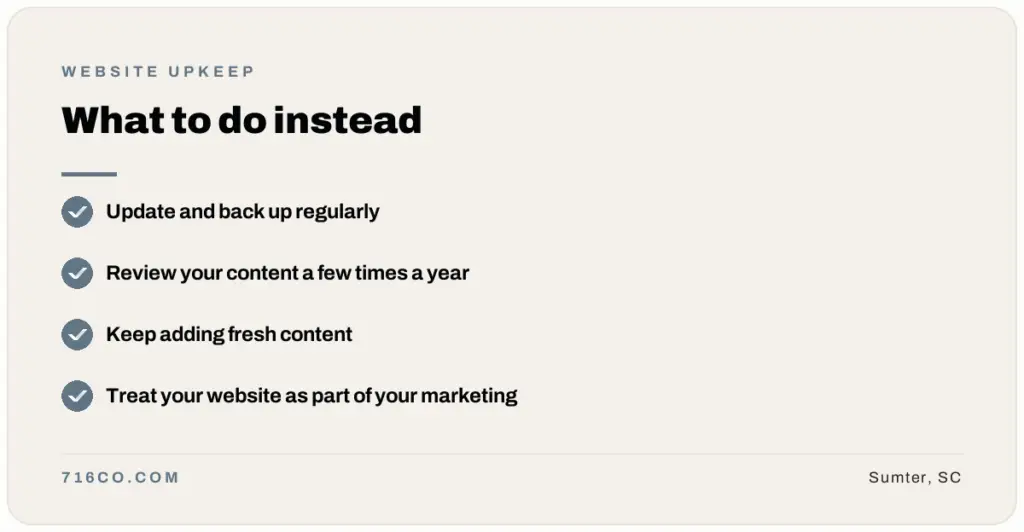
What to do instead: update your website regularly
Update and back up regularly
Check for WordPress, theme and plugin updates at least monthly. Back up the site before you update, then check the site afterward, because an update can occasionally conflict with another plugin and break a page (or the whole site).
Review your content a few times a year
Walk through every page once a quarter. Look for old prices, outdated services, wrong hours and broken links. Fix them while they’re small.
Keep adding fresh content
A blog or news section is one of the easiest ways to keep your site current. It gives search engines new content, answers customer questions and keeps you in the habit of checking your own site.
Treat your website as part of your marketing
Your website should be at the center of your marketing, not left behind while your attention goes to social media. Look at how people find your site and what they do once they get there, and adjust as your business changes.
Or let someone else handle it
If you don’t have the time (most business owners don’t), our website care plans take care of it for you. The Basic plan covers WordPress and plugin updates, monthly backups and a monthly status report for $40 a month. The Pro plan adds daily backups, uptime, security certificate and vulnerability monitoring, performance work and a little time each month for content changes for $95 a month. Pay yearly and you get two months free.
Frequently asked questions
How often should my website be updated?
u003cpu003eSoftware updates should be checked at least monthly, and security updates applied as soon as they’re available. Content should be reviewed at least quarterly and any time something about your business changes.u003c/pu003e
What happens if I never update my website?
u003cpu003eOver time it becomes slower, less secure and more likely to break when something on the server changes. Outdated sites are also the most common targets for automated hacking.u003c/pu003e
Can I update my website myself?
u003cpu003eYes. Most WordPress updates are a click or two. Just back up first, update one thing at a time and check the site afterward. If that sounds like a chore, that’s what care plans are for.u003c/pu003e
Want your site taken care of? See our website care plans, or request a free audit and we’ll show you what needs attention.