One of the most stressful calls we get goes like this: “Our old web designer stopped answering, and we can’t get into our website.” Sometimes they can’t even renew their own domain name. It happens to good businesses all the time, and it’s almost always avoidable.
So who owns your website? The honest answer is that a website is really several pieces, and you need to own or control each one. Here’s what they are, how to check who holds them and what to do if it isn’t you. It’s one of the first things we look at in any Sumter web design project.
Who owns my website? The four pieces to check
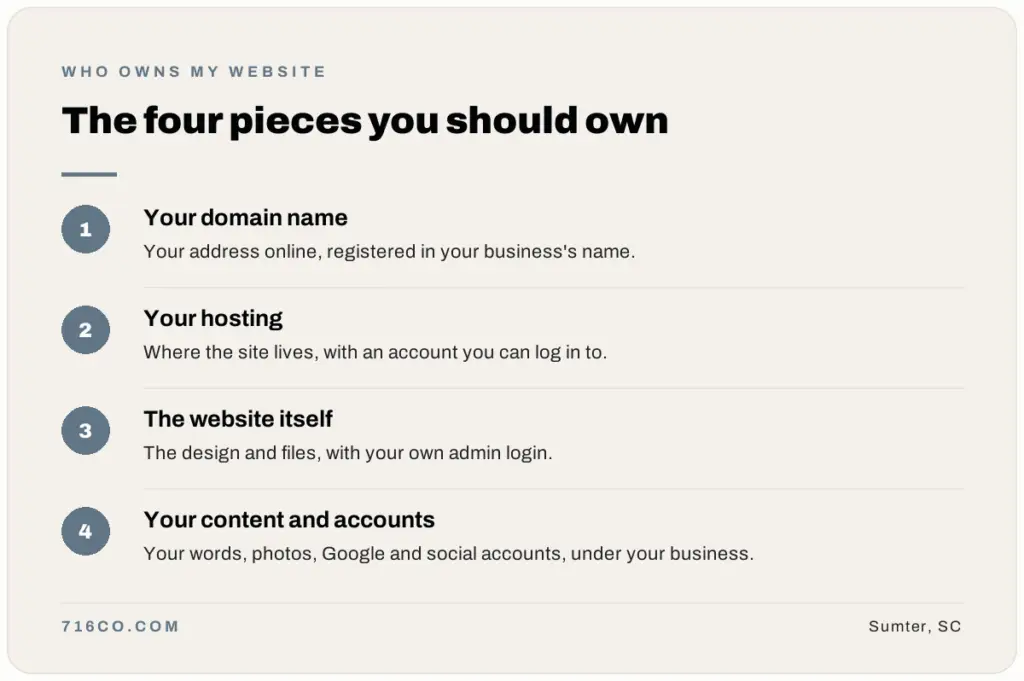
A website isn’t one thing you either own or don’t. It’s four separate pieces, and each one can belong to a different person or company.
1. Your domain name
This is your address, like yourbusiness.com. You rent it yearly from a registrar such as GoDaddy, Namecheap or Squarespace. Whoever’s name is on the registration controls it. If it lapses or someone else holds it, your website and your email can disappear.
2. Your hosting
Hosting is the server space where your website’s files live. It’s a separate account, often with a separate company. See our hosting, domains and email page if you’re not sure how it fits together.
3. The website itself
This is the design, the pages and the admin login, such as your WordPress dashboard. You need an administrator login of your own, not just someone else’s promise that they’ll make changes for you.
4. Your content and accounts
Your words, photos and logo, plus the accounts connected to your site: your Google Business Profile, Google Analytics, Search Console, email and social media. These are business assets. They should be in your name.
How to check who owns your domain
- Look up your domain at lookup.icann.org, the free lookup from ICANN. It shows the registrar and when the domain expires. Many registrations hide the owner’s name for privacy, which is normal.
- Find the renewal emails or invoices for your domain. Whoever receives them is usually the account holder.
- Log in to the registrar account yourself. If you can’t, or you don’t know which registrar it’s with, that’s your answer: someone else controls it.
Do the same check for your hosting account and your website login. If you can log in to all three with accounts in your name, you’re in good shape.

Red flags that you might not own your website
- The domain is registered in your web designer’s name or under their company account.
- You don’t have an admin login to your own website.
- Your designer pays for the domain and hosting and bills you, but you’ve never seen the accounts.
- Your site is built on a platform your designer controls, and you’ve never been told how to move it.
- Your Google Business Profile or Analytics was set up under someone else’s Google account.
None of these mean anyone did something wrong. Plenty of designers set things up this way to make life easier for their clients. But it leaves you exposed if that person retires, gets busy or simply stops answering.
Why your email depends on your domain
If your business email ends in @yourbusiness.com, it runs through your domain. That means whoever controls the domain also controls whether your email keeps working. A missed renewal can take your website and your inbox down on the same day, often without warning. It’s one more reason the domain should be in your name, with a renewal reminder you’ll actually see.
What to do if someone else controls your website
- Ask nicely first. Most designers will transfer a domain or add you as an owner when you ask. Be specific: “Please transfer the domain to a registrar account in my name” or “Please add me as an administrator.”
- Get your own accounts ready. Create a registrar account and a Google account in your business’s name, so there’s somewhere to transfer things to.
- Contact the registrar. If you can’t reach the person who holds your domain, registrars have processes for proving you’re the rightful owner. Have your business documents ready.
- Don’t let the domain expire. Note the expiration date. If it lapses, someone else can register it.
Questions to ask before you hire a web designer
The easiest time to sort out ownership is before the project starts. Ask any web designer, including us, these questions up front:
- Whose name will the domain be registered in?
- Where will the site be hosted, and whose account is it?
- Will I get my own administrator login when the site launches?
- If we stop working together, how do I move my website?
- Will my Google Business Profile, Analytics and Search Console be set up under my business’s Google account?
Clear answers to these questions are a good sign. If a designer gets vague, ask again before you sign anything.
Keep a simple list of your website logins
Once you have everything in your name, write it down. Keep this list in a password manager or a secure spot, and update it when anything changes:
- Domain registrar and renewal date
- Hosting company and account login
- Website admin login
- Business email account
- Google Business Profile, Analytics and Search Console
- Facebook, Instagram and any other social accounts
If you’re planning a new website, gathering these is step one on our new website checklist. And once you’re in control, keeping things updated matters too. Here are four ways to secure your website.
Who owns my website: common questions
Can a web designer refuse to give me my domain?
If the domain is registered in their name, they control it, which is why it matters whose name is on it. Most designers will transfer it when asked. If they won’t respond, contact the registrar about its ownership process.
Do I own my website if it’s on Wix or Squarespace?
You own your content, like your words and photos, but the website itself runs on their platform. You can usually connect your own domain, but you can’t move the site as-is to another host.
What’s the difference between a domain and hosting?
Your domain is your address. Your hosting is where your website’s files live. They can be with the same company or different ones, and you need access to both.
How do I make sure I own my next website?
Before you start, ask your web designer whose name the domain, hosting and Google accounts will be in, and ask for your own admin login at launch.
Not sure who controls your website right now? A free website audit is a good place to start, and our website care plans keep everything updated once it’s sorted out.