

When someone in Sumter types “plumber near me” or “coffee shop near me” into their phone, they aren’t browsing. They’re ready to call, stop by or book. Those searches are where local customers are won and lost every day, and Google only shows a handful of businesses before most people stop scrolling.
Our studio has served businesses in Sumter, Manning, Camden and across the Midlands since 2009. Here’s how “near me” rankings actually work, and the steps that move a local business into the results people see first.
SEO optimization for near me searches: what they actually are
A “near me” search asks Google to find something close to where the person is. Google doesn’t need the words “near me” to do that. It uses the searcher’s location either way, so “roofer in Sumter,” “dentist open now” and a plain “oil change” typed on a phone all get local results.
Google ranks those local results on three things:
- Relevance: how well your business matches what the person searched for.
- Distance: how close you are to the searcher, or to the town they named.
- Prominence: how well-known and trusted your business looks online, based on reviews, listings, links and activity.
You can’t move your building, so distance is mostly out of your hands. Relevance and prominence are where the work pays off, and every step below feeds one or both of them.
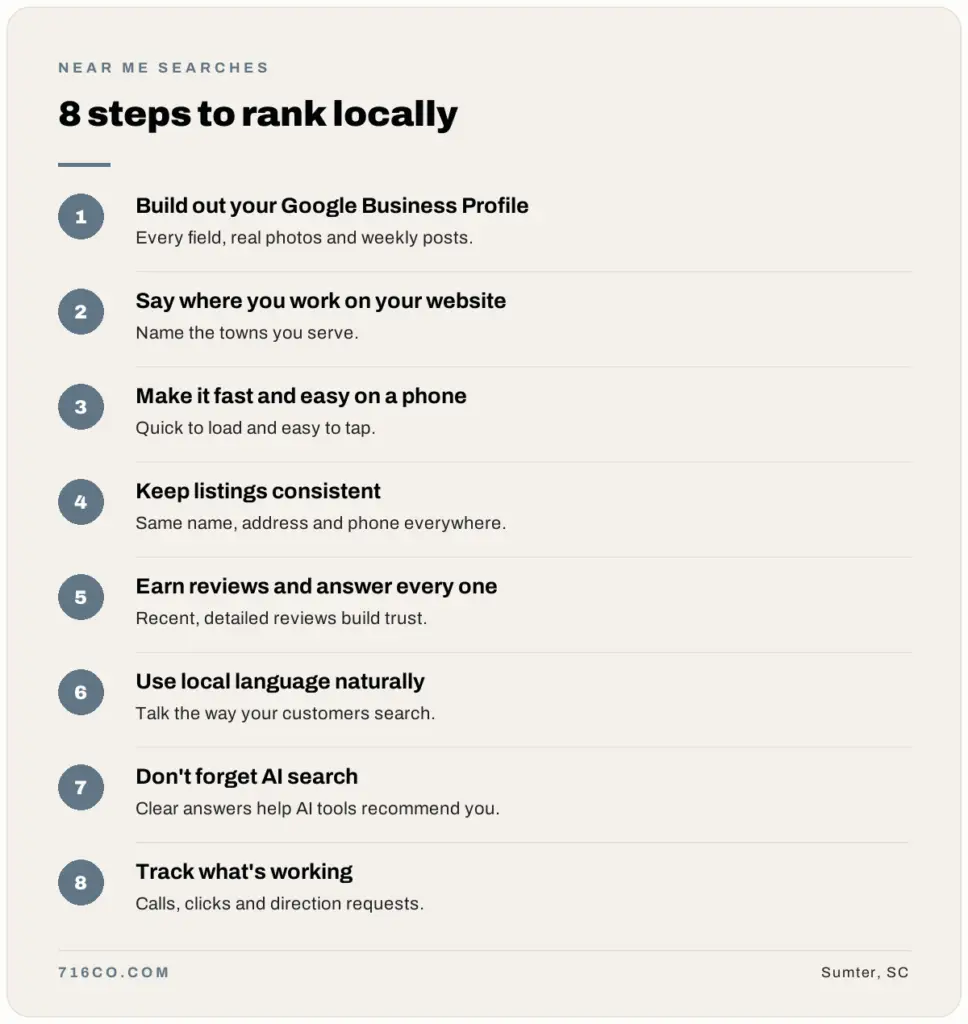
Step 1: Build out your Google Business Profile
Your Google Business Profile is the single most important piece of local search. It’s what shows up in the map results, and for many customers it’s the first thing they see about you, before they ever reach your website.
- Claim and verify your profile if you haven’t already.
- Choose the most specific primary category that fits your main service, then add secondary categories for related services you actually offer.
- Fill in every field: hours (including holiday hours), services, service areas, attributes and a clear description.
- Add real photos of your work, your team and your location, and keep adding them.
- Post an update at least once a week.
I go deeper on each of these in How to Show Up in the Google Map Pack and Google Business Profile Categories: How to Pick the Right Ones.

Step 2: Make your website say where you work
Your website has to confirm to Google exactly who you serve and where. That starts with simple things: name your city and the towns you serve in your page titles, headings and content, and put your business name, address and phone number in the footer of every page.
If you serve more than one town, give each one its own service area page so customers in Manning or Camden can find you, not just customers in Sumter. On the technical side, LocalBusiness schema (a bit of structured data in your site’s code) tells search engines your official name, address, phone number, hours and service area. It’s a one-time setup, and we include it on every site we build.
Step 3: Make it fast and easy on a phone
Most “near me” searches happen on a phone, often while someone is already out and about. If your site loads slowly or is hard to use on a small screen, they hit the back button and call the next business on the list.
Run your site through Google PageSpeed Insights to see where you stand. The usual fixes are compressing and resizing images, removing plugins you don’t use, moving to better hosting and putting a tap-to-call button where people can see it.
Step 4: Keep your listings consistent everywhere
Google cross-checks your business information across the web. Listings on sites like Yelp, the BBB, Apple Maps, Bing Places, Facebook, your local chamber of commerce and industry directories are called citations, and they need to match your Google Business Profile exactly.
An old phone number or a slightly different version of your business name creates conflicting signals that can hold your rankings back. Clean up the listings you already have, then add a few reputable ones you’re missing. Links from local organizations help too, whether that’s a chamber membership, an event you sponsor or a local news mention.
Step 5: Earn reviews and answer every one
Reviews are one of the strongest local ranking signals, and they’re what customers read right before deciding to call. Ask every happy customer for a review with a direct link, and respond to every review you get, good or bad.
Here’s a simple system for that: How to Respond to Google Reviews (Good and Bad).
Step 6: Use local language naturally
You don’t need to stuff “near me” into every sentence on your website. Write the way your customers talk. An FAQ like “Where can I find a reliable plumber near me in Sumter?” matches how people search without sounding forced. Repeating the same phrase over and over reads badly, and Google is good at spotting it.
Step 7: Don’t forget AI search
More people now ask ChatGPT, Google’s AI Overviews or the assistant on their phone for a recommendation instead of scrolling through results. Those tools lean on the same signals Google does: a complete profile, steady reviews, consistent listings and a website that answers questions clearly.
Clear, direct answers on your site make it easier for these tools to recommend you. We cover this in more detail on our AI search optimization page.
Step 8: Track what’s working
Local SEO isn’t a one-time setup. Google Search Console shows which searches bring people to your website, and your Google Business Profile shows how many people found you, called you, asked for directions or clicked through to your site. Check both once a month, keep doing what’s working and fix what isn’t.
How long does it take to rank for “near me” searches?
Most businesses see real movement within a few months. How fast depends on how competitive your industry is in your area and where you’re starting from. Local SEO usually moves faster than national SEO because you’re competing with a smaller group of businesses, and the gains build on each other as your reviews, listings and profile activity grow.
Do it yourself or hire help?
Everything in this guide is something you can do yourself if you have the time. Most business owners don’t, and that’s where we come in.
Our local SEO plans handle your profile, website, listings and reporting, starting at $1,100 a month. We also only work with one business per service in each area, so we’re never helping your direct competitor.
Frequently asked questions
Do I need to use the words “near me” on my website?
u003cpu003eNo. Google uses the searcher’s location whether or not those words appear on your site. Focus on naming your town and the areas you serve, and use “near me” only where it reads naturally, such as in an FAQ.u003c/pu003e
Can I rank for “near me” searches without a storefront?
u003cpu003eYes. Service-area businesses like contractors and cleaners can hide their address on Google Business Profile and list the towns they serve instead. Google still considers where your business is based, so you’ll usually rank strongest closest to home. Service area pages on your website help you reach the towns around you.u003c/pu003e
How long until I show up in the map results?
u003cpu003eIf your profile is incomplete today, finishing it can make a difference within weeks. Climbing past established competitors usually takes a few months of steady work on reviews, listings and posts.u003c/pu003e
Is local SEO worth it for a small business?
u003cpu003eFor most local businesses, yes. “Near me” searches reach people at the exact moment they’re ready to buy, and unlike an ad, the rankings you earn keep working after you stop paying for them.u003c/pu003e
Want help getting found? See our local SEO services, or request a free audit and we’ll show you what to fix first.