I get asked this all the time: “Should I buy a few extra domain names and point them at my website? Will that help my SEO?”
It sounds like common sense. More domains should mean more chances to show up on Google, right? But that’s not how search works. Google doesn’t give you extra credit for owning more domain names. It rewards one strong website with useful content, a solid technical setup and a good reputation.
That doesn’t mean extra domains are a waste. Used the right way, they’re handy tools. Used the wrong way, they can actually hurt you. To keep it simple, I’ll use a made-up lawn care company, Lawn Care Pros, as the example throughout. Whatever your industry, it works the same way.
Quick answer: Extra domain names don’t help your SEO on their own. Most small businesses need one main domain (ideally a .com) plus one to three extras for brand protection, common typos or marketing, all set to permanent 301 redirects that point to your main site. Never put copies of your website on more than one domain.
Multiple domains and SEO: the short answer
No, owning multiple domains doesn’t help your rankings on its own. Google ranks pages based on:
- How useful and original your content is.
- How well your site is built: speed, mobile experience, structure and security.
- The links and mentions that build your site’s authority.
- Signals from real visitors and customers.
Extra domains only help when they point people to the right place on your one main website.

Good reasons to own extra domains
Most businesses own a few extra domains, and that’s fine. These are the reasons that make sense:
- Protecting your brand: lawncarepros.net and lawncarepros.org, so a competitor can’t grab them.
- Catching typos: lawncarpros.com (missing an “e”), so customers who mistype still find you.
- Marketing campaigns: a short, memorable name like greengrassfast.com for a truck wrap, yard sign or radio ad.
- Location shortcuts: sumterlawncare.com, pointed to your Sumter service page.
Notice what all four have in common: each one sends people to your main website. None of them is a separate website.
What goes wrong
Duplicate content
The biggest mistake is putting the same website on several domains, such as sumterlawncare.com, florencelawncare.com and columbialawncare.com all showing the same pages. Google sees copies, picks one to show and ignores the rest. You pay for three sites and get the results of one, sometimes less.
Split authority
Every link to your site is a vote of confidence. If the chamber of commerce links to one domain, a directory links to another and a customer’s blog links to a third, you end up with three weak sites instead of one strong one.
Confused customers
If someone visits florencelawncare.com and finds a generic site that never mentions Florence, it feels off. Confused visitors don’t call.
Extra cost and upkeep
Every domain means another renewal, and any domain running its own site also needs a security certificate, settings and maintenance. Domains that sit unused are just clutter on your credit card statement.
How to use extra domains the right way
1. Pick one main domain
Choose one domain as your home base, ideally a .com. That’s where your website lives, where your content gets published, where your links point and what goes on your business cards and truck.
2. Redirect everything else to it
Set up permanent (301) redirects from every extra domain to your main site. Brand protection and typo domains should go to your home page. A redirect tells Google the extra domain belongs to your main site, and anyone who types the extra domain lands in the right place.
3. Send location domains to real location pages
If you own sumterlawncare.com, don’t send it to your home page. Point it to a Sumter page on your main site, like lawncarepros.com/sumter, with content that’s actually about Sumter: the services you offer there, photos of local jobs and reviews from Sumter customers. The page is what ranks, not the domain name.
4. Use campaign domains for marketing, not SEO
A domain like greengrassfast.com is easy to remember from a truck wrap or radio ad. Redirect it to a page on your main site built for that offer. It won’t rank on its own, but it’s great for getting people to your site.
5. Watch it in Google Search Console
Set up your main domain in Google Search Console to confirm your redirects work, Google is indexing the right pages and nothing is showing up as a duplicate.
How many domains should a small business have?
For most local businesses, the answer is one main domain plus a small handful of extras. More than that usually means paying renewals on names that do nothing.
- One main domain. This is where your website lives. It goes on your truck, your cards and your Google Business Profile.
- One or two protective extensions. If your main site is lawncarepros.com, owning lawncarepros.net can keep a competitor or copycat from using it.
- A common misspelling. Only if your name is easy to mistype.
- A campaign domain. Only when you have a real campaign to use it for, like a radio ad or yard signs.
If a domain doesn’t fit one of those reasons, you probably don’t need it.
Should I have .co as well as .com?
Not necessarily. Google treats .co like any other general domain ending, so it won’t hurt your rankings. The bigger issue is people: most customers type .com out of habit. If your website is on .com, the .co is optional brand protection. If your website is on .co, try hard to own the .com too, or some of your visitors will end up somewhere else.
Does your domain name affect SEO?
Less than most people think. Years ago, a keyword-stuffed domain like bestsumterlawncare.com could give a site a boost. Google stopped giving those names a free pass a long time ago. Today your domain name matters mostly to people, not search engines.
- Make it easy to say and spell. You’ll say it on the phone more than you think.
- Keep it short. Short names are easier to remember and fit on signs and shirts.
- Match your business name when you can. It builds trust and helps people find you again.
- Stick with it. Changing your main domain later means redirecting everything, updating every listing and waiting for Google to catch up.
Domain forwarding vs. a 301 redirect
Most domain registrars offer “domain forwarding,” and it is the easiest way to point an extra domain at your website. It works well for SEO as long as it is set up right:
- Choose permanent (301) forwarding, not temporary (302). Permanent tells Google the extra domain belongs to your main site.
- Never use masked or “stealth” forwarding. It shows your site inside a frame under the extra domain, which confuses Google and can look like duplicate content.
- Forward to the exact page you want, such as a location page or campaign page, not always the home page.
- Test the https version. Type https:// plus the extra domain into your browser. Some forwarding setups throw a security warning, and that sends customers away.
Is it worth buying old domains to redirect to your site?
Usually not. The idea is that an old domain with existing links will pass its “SEO power” to your site. In practice, most old domains have little worth passing along, and buying expired domains just to manipulate rankings is something Google specifically calls out in its spam policies.
There is one exception that makes sense: buying a domain that is genuinely connected to your business, like a competitor you acquired or an old name your business used to go by. Redirecting those to the matching pages on your site keeps their customers and links pointed to you.
Myths about multiple domains
- “More domains means more rankings.” Google doesn’t reward the size of your domain collection.
- “A keyword domain will rank for that keyword.” Keywords in a domain name carry little weight today. Content and authority matter far more.
- “Redirecting a new domain passes SEO power.” Only if that domain already had links and history. A brand-new, unused domain has nothing to pass along.
- “I need every extension.” A .com plus maybe a .net or .org for protection is plenty for most businesses.
- “A subdomain is the same as a separate domain.” It isn’t. blog.lawncarepros.com is part of your site. sumterlawncare.com is a different site entirely.
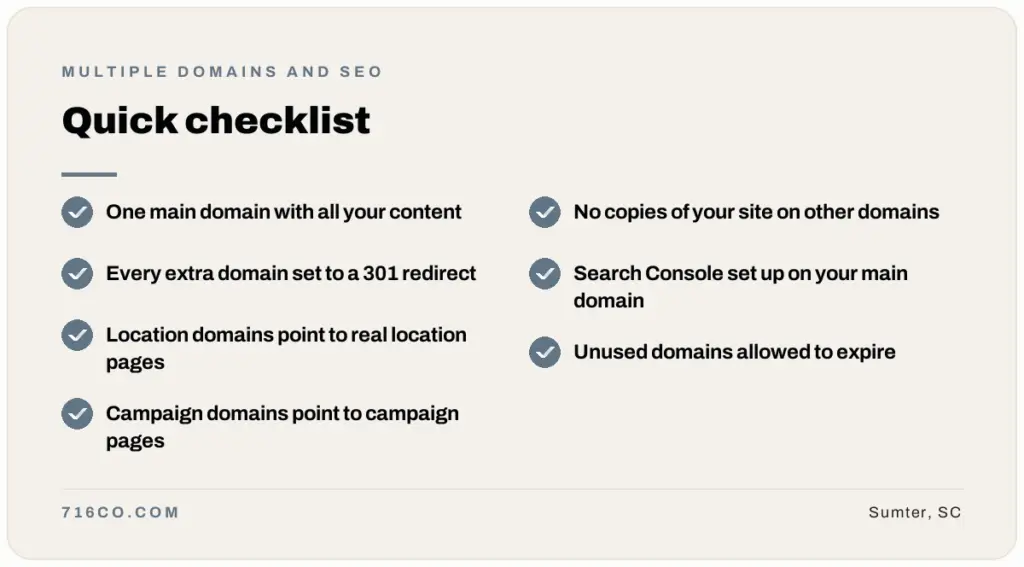
Quick checklist
- One main domain, with all your content on it.
- Every extra domain set to a 301 redirect.
- Location domains pointed to unique location pages.
- Campaign domains pointed to campaign pages.
- No copies of your website on other domains.
- Search Console set up on your main domain.
- Domains you don’t use allowed to expire.
One strong domain wins
The winning play for most local businesses is simple: build one strong website, give each town you serve its own page, and use extra domains only for brand protection and marketing. If you need a place to manage your domains, we can help with that too.
Frequently asked questions
Will buying more domain names help my SEO?
Not on their own. Extra domains only help when they redirect to useful pages on your main website.
How many domains should a small business have?
Usually one main domain plus one to three extras for brand protection, common typos or marketing campaigns, all redirected to your main site.
Should I have .co as well as .com?
It is optional. Google treats .co like any general domain ending, but customers tend to type .com, so if your site is on .co, try to own the .com too.
Is domain forwarding bad for SEO?
No, as long as you use permanent (301) forwarding. Avoid masked or stealth forwarding, which shows your site in a frame under the extra domain.
Should I build a separate website for each city I serve?
No. Build one website with a dedicated page for each city instead. That keeps all your authority in one place and avoids duplicate content.
What should I do with old domains I already own?
Redirect any that have past links or customers who might use them. Let the ones with no history or purpose expire.
Is it worth buying expired domains to redirect to my site?
Usually not. Most have little value to pass along, and buying expired domains to manipulate rankings goes against Google’s spam policies.
Not sure your domains are set up right? Request a free audit, or see our local SEO services.