
Let me paint a picture you might recognize.
Someone in Sumter — or wherever your business operates — pulls out their phone and searches for exactly what you offer. They’re ready to hire. Ready to spend money. Ready to become a customer today.
And your business doesn’t show up.
Not because you’re bad at what you do. Not because your prices are wrong or your work is poor. But because your Google Business Profile is either incomplete, unclaimed, or hasn’t been touched in two years. You’re invisible at the exact moment someone is looking for you.
That’s a real scenario. It plays out hundreds of times a day for small businesses across the country — businesses that do great work, have solid reputations, and still lose customers to competitors who simply showed up in the right place at the right time.
The good news: it’s completely fixable. And the tool you need is free.
Google Business Profile (GBP) — formerly known as Google My Business — is one of the most powerful and consistently underutilized tools available to any small business owner or entrepreneur. In this article, I’m going to walk you through what it is, why it matters more than most people realize, and exactly how to set it up and optimize it so it’s actually working for you. Seven steps, start to finish.
What Is Google Business Profile — And Why Should You Care?
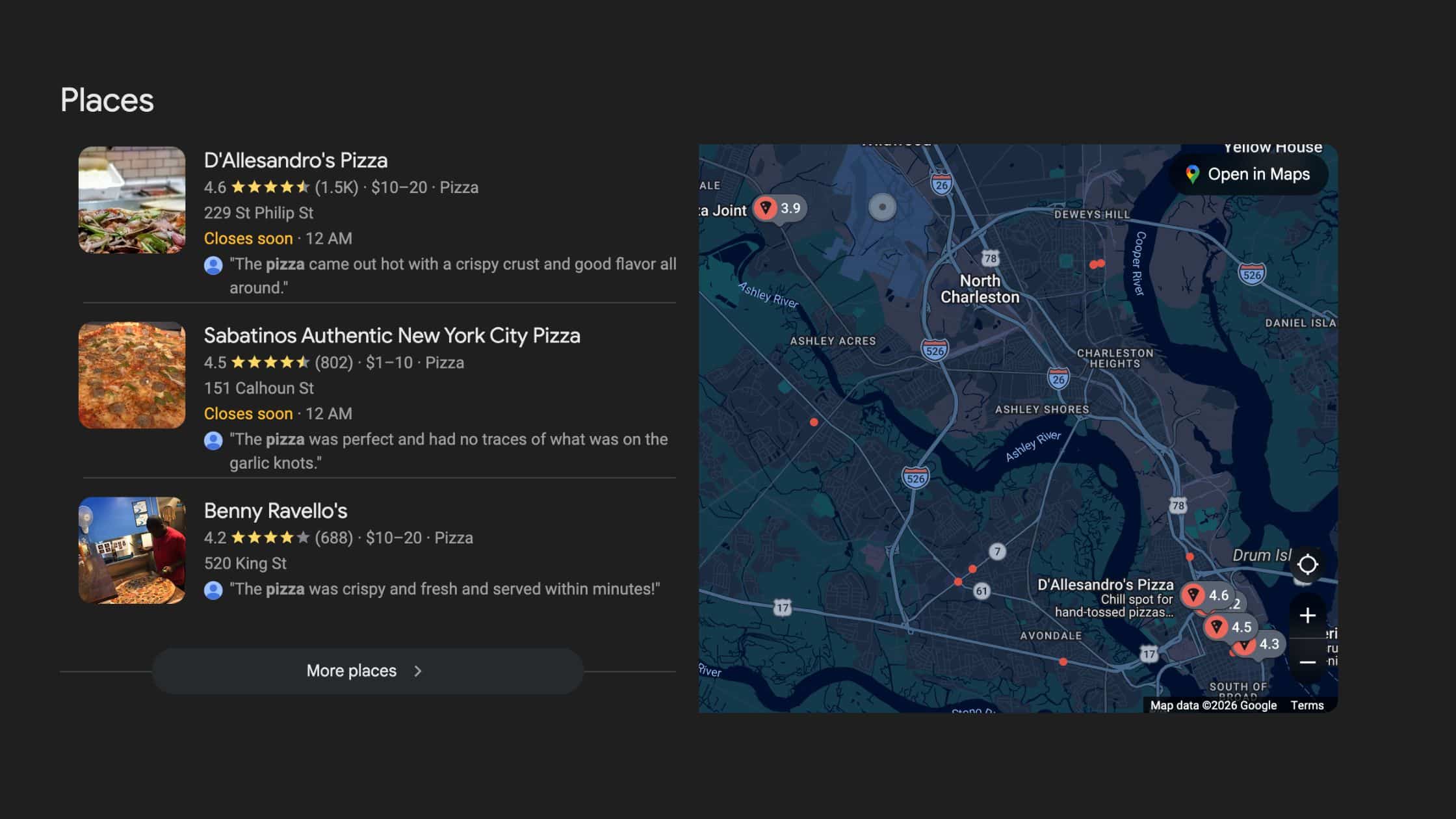
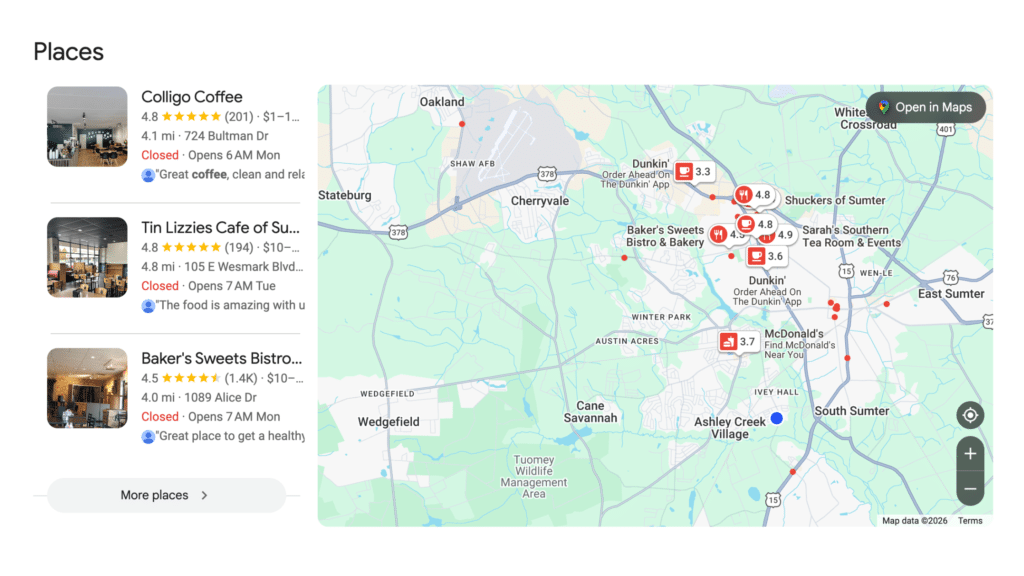
Google Business Profile is a free listing that Google provides to businesses. When someone searches for a service or business type in their area, Google often shows what’s called a “map pack” — a block of three local business listings that appear above the regular search results, alongside a map.
That map pack is prime real estate. Studies consistently show that those three spots capture a significant portion of all clicks for local searches — often more clicks than the organic results directly below them. Whether or not your business appears there is largely determined by how well your Google Business Profile is set up and maintained.
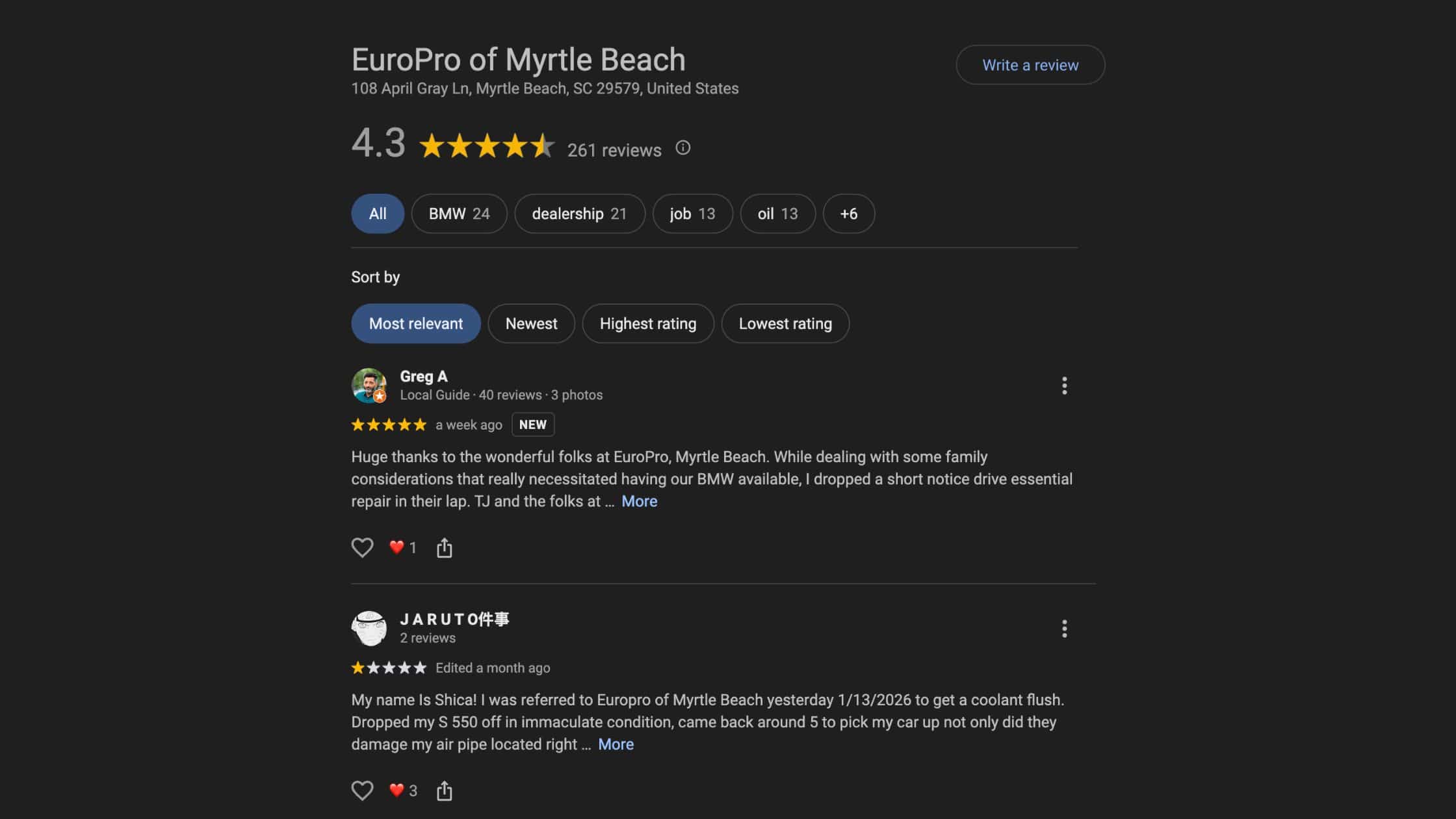
Beyond the map pack, your GBP listing also appears when someone searches your business name directly. It displays your hours, phone number, website, reviews, photos, services, and more — all before a potential customer even visits your website. In many cases, this listing is your actual first impression. People decide whether to call you or move on before they ever see your homepage.
Think about how you find local businesses yourself. You search, you scan the map pack, you look at reviews, you check hours. That’s exactly what your potential customers are doing — and your GBP is what determines whether you’re part of that consideration or not.
If you want to understand the broader picture of how local search works, check out our article on how to rank for “near me” searches.
Step One: Claim and Verify Your Profile
Before you can do anything else, you need to make sure you actually own your listing. Go to business.google.com and search for your business name. One of three things will happen:
- Your business is listed but unclaimed — this is more common than you’d think. Google creates listings automatically based on public data. If you find your business without an owner, click “Claim this business” and follow the verification steps.
- Your business exists and is claimed — but not by you. This happens when a previous employee, a former agency, or even a well-meaning family member set it up. You’ll need to request access through the profile, or if that doesn’t work, go through Google’s ownership dispute process. It takes time, but it’s worth it.
- Your business doesn’t exist yet — create a new listing from scratch. Google walks you through it step by step.
Verification typically happens by postcard — Google mails a code to your business address that you enter to confirm ownership. Depending on your business type, you may also have the option to verify by phone, email, or video. The postcard route usually takes five to seven business days.
Don’t skip this step or leave it half-finished. An unverified listing has limited functionality and won’t rank well in local search. Verification is the foundation everything else builds on.
Step Two: Fill Out Every Single Field
This is where most business owners leave the most points on the table. Google rewards completeness. An incomplete profile is a signal to Google’s algorithm that you’re not actively managing your presence — and it treats that profile accordingly.
Here’s what needs to be filled out, without exception:
- Business name: Use your real, legal business name. Do not stuff keywords into it — “Josh’s Best Web Design SEO Sumter SC” will get your listing flagged. Use your actual name.
- Category: Your primary category is one of the most important ranking factors in your entire listing. Be as specific as possible. “Web Designer” outperforms “Technology Company.” You can also add secondary categories for additional services you offer.
- Address or service area: If you have a physical location customers visit, add the address. If you go to your clients — contractors, consultants, cleaners, photographers — you can hide your address and list the areas you serve instead. Google accommodates both business models.
- Phone number: Use your primary business number. Make sure it matches exactly — down to the formatting — what’s on your website and every other directory where your business is listed. Consistency matters significantly for local SEO.
- Website: Link to your homepage or a relevant landing page. Make sure the URL is correct and the page loads properly.
- Hours: Keep these current and accurate. Update for holidays, special closures, and seasonal changes. Google will sometimes flag your listing with a warning about potentially inaccurate hours if what’s listed doesn’t match customer behavior patterns.
- Business description: You get 750 characters. Use them thoughtfully. Write in plain language about what you do, who you serve, and what makes your business worth choosing. Work your primary keywords in naturally — don’t force them.
- Services and products: List each service individually with a description. This gives Google more context about what you offer and improves your chances of appearing for more specific searches.
- Attributes: These are the details — “veteran-owned,” “women-led,” “free Wi-Fi,” “wheelchair accessible,” “accepts credit cards.” Fill out every attribute that honestly applies. They appear in your listing and can influence search behavior.
IMPORTANT: Every field you leave blank is a missed ranking signal. Treat your GBP like a client-facing document — complete, accurate, and professional.
Step Three: Photos Make a Measurable Difference
Businesses with photos on their Google listing receive significantly more clicks and direction requests than those without. This isn’t a marginal difference — it’s substantial. And yet a large percentage of local business profiles have minimal or outdated photos.
Here’s what to add to your profile:
- Logo: Clean, professional, properly sized at minimum 250×250 pixels. Your logo should be instantly recognizable.
- Cover photo: The main image people see when they find your profile. Choose something that genuinely represents your business — your storefront, your team, your work environment, a finished project.
- Interior and exterior photos: These help people know what to expect when they visit. They also build familiarity before a customer ever walks through the door.
- Team photos: People do business with people. Showing the faces behind your business builds trust before someone makes the call.
- Work or product photos: Show examples of what you actually do. For service businesses, before-and-after photos or project completion shots are particularly effective.
Add photos regularly — not just during your initial setup. A profile that was last updated eighteen months ago signals to Google and to potential customers that you’re not actively paying attention. Fresh, current photos are one of the easiest ongoing maintenance wins available.
One practical note: every photo should be well-lit, in focus, and genuinely representative of your business. A blurry phone photo taken in bad lighting does more harm than good.
Step Four: Google Business Profile Posts
Most business owners have no idea this feature exists. Google lets you publish posts directly to your GBP listing — updates, offers, events, highlights — that appear in your profile and sometimes in search results directly.
This matters for two reasons. First, posting consistently sends a signal to Google that your business is active and engaged. An active profile outperforms a dormant one in local rankings. Second, it gives potential customers something current to see when they find you — which is especially useful for service businesses that might otherwise have a fairly static profile.
You don’t need to post daily. Once a week is enough to make a meaningful difference. The posts can be simple: a tip related to your industry, a project you recently completed, a seasonal offer, a link to your latest article, a question you get asked often. Keep them short, relevant, and genuine.
Google Business Profile posts do expire after approximately seven days, which is part of why consistency matters more than volume. One post a week keeps your profile looking current. Ten posts in one day followed by nothing for three months does not.
For a full breakdown of what to post, how to structure it, and how to build a simple posting habit, see: “What to Post on Your Google Business Profile — And How Often.“
Step Five: Reviews — The Part Most Businesses Ignore
Reviews are one of the top local ranking factors for Google Business Profile. They’re also the single thing most business owners either handle poorly or don’t handle at all.
A few things to understand clearly:
- Ask for reviews — intentionally and consistently: Most satisfied customers won’t leave a review on their own unless you make it easy and ask directly. Google provides a shareable review link directly from your GBP dashboard. Text it to customers after a completed job, include it in your invoice emails, add it to your email signature. The ask itself takes seconds. The compounding effect over time is significant.
- Respond to every review — not just the five-star ones: A short, genuine response to a positive review shows you’re engaged and appreciate your customers. A thoughtful, professional response to a negative review shows you’re trustworthy and willing to make things right. Potential customers read both. Your responses tell them as much about your business as the reviews themselves.
- Never respond to negative reviews in the heat of the moment: Take twenty-four hours if you need to. A defensive or angry response to a critical review does more damage than the review itself. Respond calmly, acknowledge the concern, and where appropriate, offer to resolve it offline.
- Never buy or fabricate reviews: Google’s systems are sophisticated enough to detect patterns of inauthentic reviews. The consequences — including suspension of your listing — are not worth it. Build your reviews authentically, consistently, over time.
One underused tactic: look at your existing customers and identify the ones who are genuinely happy with your work. Those are your best review candidates. A direct, personal ask — even just a text message — converts far better than a mass email blast.
For a complete review strategy — including how to handle unfair reviews and how to build a system that generates reviews consistently — see “The Right Way to Handle Google Reviews (Good and Bad).”
Step Six: The Q&A Section
Google Business Profile includes a built-in Questions and Answers section where anyone — including you — can post questions and answers about your business. The vast majority of business owners ignore this feature completely. That’s a missed opportunity.
Here’s why it matters: Google sometimes pulls content from the Q&A section to answer voice search queries and to populate featured snippets. It’s also a place where potential customers actively look for quick answers — especially for service businesses where people have specific questions before they’re ready to call.
The best strategy is to seed the Q&A section yourself. Think through the five to ten questions you get asked most consistently: “Do you offer free consultations?” “Do you work with nonprofits or churches?” “What areas do you serve?” “How long does a project typically take?” “Do you require a deposit?” Post those questions directly to your own profile — you can do it while logged in as the business owner — and answer each one clearly and accurately.
Then check back periodically. If someone posts a new question and you don’t respond, Google may allow other users to answer it — and those answers may not be accurate or favorable.
Twenty minutes of work on your Q&A section can pay dividends for months. It’s one of the most underused, highest-return moves available on GBP.
Step Seven: Keep It Alive
This is where most businesses drop the ball. They invest time setting up the profile, add some initial photos, maybe respond to a few reviews — and then never touch it again. Six months later the profile is stale, the hours might be wrong, and Google has quietly deprioritized it in local rankings.
An active, consistently maintained Google Business Profile outperforms a stale one. Google’s local algorithm factors in recency and engagement as signals that a business is legitimate and currently operating. A profile that shows regular posts, recent photos, and active review responses looks very different to the algorithm than one that’s been untouched since the initial setup.
Here’s a simple maintenance rhythm that takes less time than most people think:
- Weekly: Publish one GBP post. This can be short — a tip, a project update, a link to a new article, a question you get asked often.
- Weekly: Check for and respond to any new reviews. This takes five minutes.
- Monthly: Add two or three new photos. Pull from recent projects, your workspace, your team.
- Monthly: Scan your Q&A section for any new questions that need responses.
- Quarterly: Audit your core business information — hours, phone number, service list, description. Make sure everything is still accurate and current.
If that maintenance rhythm sounds like more than you want to manage on top of running your actual business, that’s a completely reasonable position. This is something we handle for clients as part of our Google Business Profile management service — consistent, done-right maintenance so you’re not thinking about it.
What GBP Can’t Do on Its Own
A well-optimized Google Business Profile is a genuinely powerful tool — but it’s one piece of a larger local SEO picture. Understanding what it can and can’t do on its own helps you prioritize correctly.
Your GBP works best when it’s backed by a healthy, fast, and relevant website. Google looks at both. A strong profile linked to a weak or outdated website hits a ceiling quickly. Your website and your GBP need to be working together, not just coexisting.
Your NAP information — Name, Address, Phone number — also needs to be consistent across every directory where your business is listed. Yelp, Facebook, the local Chamber of Commerce website, industry directories, Apple Maps — all of it needs to match exactly. Inconsistencies create conflicting signals that suppress your local rankings, even if your GBP is perfectly optimized.
And like any search visibility strategy, off-page factors matter too. Local citations from reputable directories, mentions and backlinks from local publications and community organizations, and your overall domain authority all influence where you appear in local search.
Think of your GBP as the front door. A great front door matters enormously — it’s the first thing people see. But the whole building needs to be solid for people to trust what’s inside.
For the full local SEO picture, take a look at our local SEO services page or run a free SEO audit to get a snapshot of where your overall local presence stands right now.
The Bigger Picture: Why This Matters Right Now
Local search behavior has shifted significantly. More searches happen on mobile than desktop. Voice search is growing. People search with buying intent — “near me” searches have increased dramatically year over year. And the businesses that show up consistently in those moments of intent are the ones capturing those customers.
The barrier to entry is low. You don’t need a big marketing budget to compete in local search. You need a complete, accurate, active Google Business Profile and a website that supports it. That’s it. And the businesses that get this right — consistently — build a compounding advantage over time as their reviews grow, their profile matures, and their local authority increases.
The ones that don’t set it up correctly, or set it up and walk away, hand those advantages directly to competitors who might not even be as good at what they do.
That gap is real. It’s fixable. And the cost of fixing it is your time.
Getting Started Today
If you’ve read this far and you’re not sure where your Google Business Profile stands, the fastest first step is simply to search your own business name on Google right now and see what comes up.
Is your listing claimed? Is the information current? Do you have photos? Are there reviews — and have you responded to them? Is there a description that actually explains what you do and who you serve?
If there are gaps, start with Step One and work through the list. You don’t have to do it all in one sitting. Even completing your core profile fields and adding a handful of photos today will make a measurable difference.
And if you’d rather have someone handle the setup, optimization, and ongoing maintenance so you can stay focused on your business — that’s exactly what we do at 716 Co. Reach out at (803) 386-0380.
Free to set up. Powerful when done right. Worth your time.
Frequently Asked Questions
Is Google Business Profile really free?
Yes, completely. Google does not charge to create, claim, or manage your Business Profile. There are paid advertising options — like Local Services Ads — that are separate and optional, but the profile itself costs nothing. The only investment is your time.
How long does it take to rank in the map pack?
There’s no fixed timeline. It depends on your competition, your location, how complete and active your profile is, and the strength of your overall local SEO. Some businesses see movement within a few weeks of optimizing their profile. For more competitive markets, it can take several months of consistent effort. The key is to start and stay consistent — the profile compounds over time.
What if someone left a fake or unfair review?
You can flag reviews that violate Google’s policies — spam, fake reviews, clearly fabricated content, inappropriate language — directly from your GBP dashboard. Google reviews flagged items and removes ones that clearly violate their guidelines, though the process can take time. In the meantime, respond professionally to the review. A calm, measured response alongside your other legitimate reviews tells the full story to potential customers.
Do I need a physical storefront to have a Google Business Profile?
No. Service-area businesses — contractors, consultants, designers, photographers, cleaners, and many others — can create and maintain a GBP listing without a public-facing physical address. You simply list the areas you serve instead of a specific street address. Google accommodates this business model fully.
How many photos should I have on my profile?
There’s no hard rule, but businesses with more than ten photos generally see significantly higher engagement than those with fewer. More importantly, add new photos consistently over time rather than uploading twenty photos once and stopping. Fresh content signals activity, which Google rewards in local rankings.
Can I have more than one Google Business Profile?
If you have multiple legitimate business locations — separate physical addresses serving separate service areas — yes, each location gets its own profile. If you have one location or one service area, one profile is correct. Creating duplicate listings for the same location can hurt your rankings and result in your profile being suspended by Google.
What should I do if my Google Business Profile was suspended?
Profile suspensions typically happen due to policy violations — keyword stuffing in the business name, a listed address that doesn’t match your actual location, too many duplicate listings, or sudden unusual changes that trigger Google’s spam filters. If your profile is suspended, don’t panic. Review Google’s guidelines for representing your business, identify and correct whatever triggered the suspension, and submit a reinstatement request through the GBP help center. If you’re unsure what caused it, this is a situation where getting professional guidance is worth it.