A website can look perfectly fine and still be losing you customers. Pages load a little too slowly, the contact form quietly stopped sending, Google shows an old phone number, or the site is hard to use on a phone. You won’t notice any of that from your desk, but your customers do.
A website audit is how you find those problems before they cost you more business. Here’s what an audit is, what a good one looks at, and how to tell if your site needs one.
What is a website audit?
A website audit is a full checkup of how your website is performing. It looks at the technical health of the site, how it shows up in search, how easy it is to use, and whether it actually turns visitors into calls, bookings and quote requests. The goal is a clear list of what’s working, what isn’t, and what to fix first.

What a good website audit looks at
These are the six areas we review in every free website audit:
- Phones and tablets: how your site looks and works on a small screen, where many of your customers will see it first.
- Speed: how fast your pages load and what’s slowing them down, usually oversized images, too many plugins or underpowered hosting.
- Google search: which searches your site shows up for, and the basics that hold it back, like missing page titles and descriptions, broken links or pages Google can’t find.
- Google Business Profile: whether your profile is complete, accurate and set up to bring in calls from the map results.
- AI search: how your business comes across when people ask ChatGPT, Google’s AI answers or other assistants for a recommendation.
- Calls and quotes: how easy it is for a visitor to call you, book or ask for a quote once they land on your site.
A thorough audit also checks the things that keep a site safe and running, like an expired security certificate or software that hasn’t been updated in a long time.
The three kinds of audits you’ll hear about
If you’ve researched this before, you may have seen audits split into three types. A good small business audit covers a little of each:
- Technical audit: the code and structure behind the site, including speed, mobile layout, page titles, structured data and anything that stops Google from reading your pages.
- Content audit: whether your pages are clear, current and useful, and whether they answer the questions your customers actually ask.
- User experience audit: the layout, navigation and accessibility of the site, and whether visitors can find what they need and take the next step.
Signs your website needs an audit
- Calls or form submissions have dropped and you’re not sure why.
- You haven’t touched the site in a year or more.
- You’re thinking about a redesign and want to know what to keep.
- Your business used to show up on Google and doesn’t anymore.
- The site feels slow, especially on your phone.
- You can’t remember the last time you tested your contact form.
If two or more of those sound familiar, an audit is worth your time. If several do, it may be time to look at our five signs it’s time for a website redesign.
How often should you audit your website?
For most small businesses, once a year is a good rhythm. It’s also smart to audit before a redesign, after a big change like a new service or location, and any time your leads drop off without an obvious reason.
What you should get from an audit
A useful audit isn’t a 40-page report full of jargon. It should be a plain-language list of what’s wrong, why it matters and the order to fix it in, so you know where to spend your time or budget first. Some fixes take five minutes. Others are a sign the site needs bigger work. Either way, you should finish the audit knowing exactly what to do next.
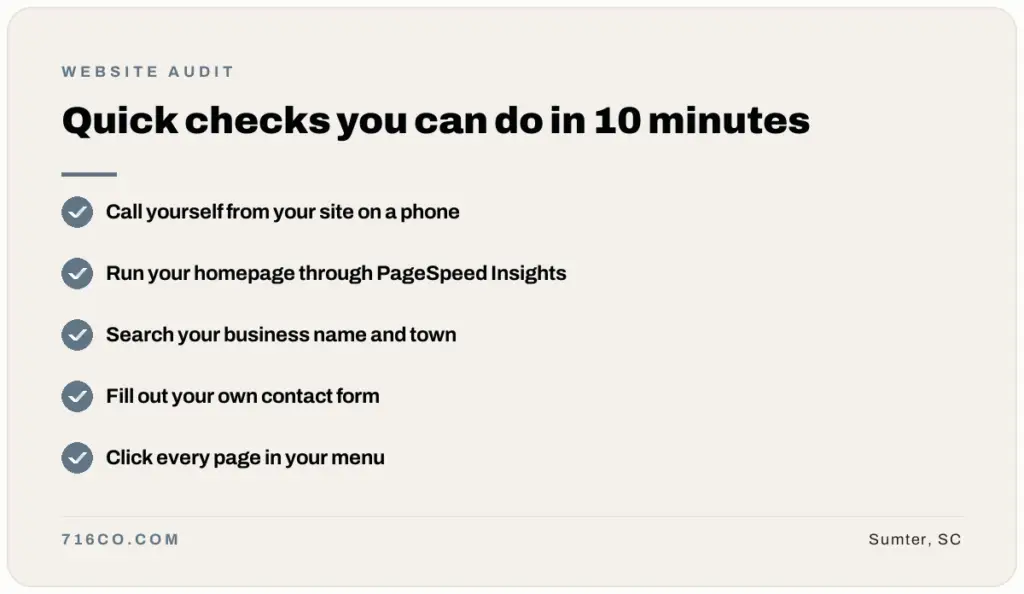
Quick checks you can do in 10 minutes
You don’t need special tools to spot the most common problems. Try these today:
- Open your website on your phone and try to call or contact yourself from it.
- Run your homepage through Google PageSpeed Insights.
- Search Google for your business name and your town, and check that your hours, phone number and website are correct.
- Fill out your own contact form and make sure the message actually arrives.
- Click through every page in your menu and look for anything outdated or broken.
Frequently asked questions
How much does a website audit cost?
u003cpu003ePrices vary a lot from company to company. Ours is free, with no obligation. You can u003ca href=u0022https://716co.com/free-audit/u0022u003erequest your free website audit hereu003c/au003e.u003c/pu003e
Do you audit websites you didn’t build?
u003cpu003eYes. We can audit any website, whether it’s on WordPress, Wix, Squarespace or something else.u003c/pu003e
Will an audit fix my website?
u003cpu003eNo. An audit tells you what needs fixing and in what order. You can take that list and handle it yourself, give it to your current web person, or have us take care of it.u003c/pu003e
Is a website audit the same as an SEO audit?
u003cpu003eAn SEO audit focuses only on search. A full website audit includes search, but also looks at speed, mobile use, security and how well your site turns visitors into customers.u003c/pu003e
Want to know where your site stands? Request a free website audit and we’ll send you a plain-language list of what to fix first, or see our website design plans if you already know it’s time for something new.